
Quality and go-live, cutover
The cutover playbook: how Workday and ERP go-lives get done
Everyone judges a program by its 18 months of design and build. The last 10 days decide it. Here's the tactical version of cutover for whoever has to run it: the tenant chain, the freeze, the go/no-go, the command center, the rollback call and the first payroll.
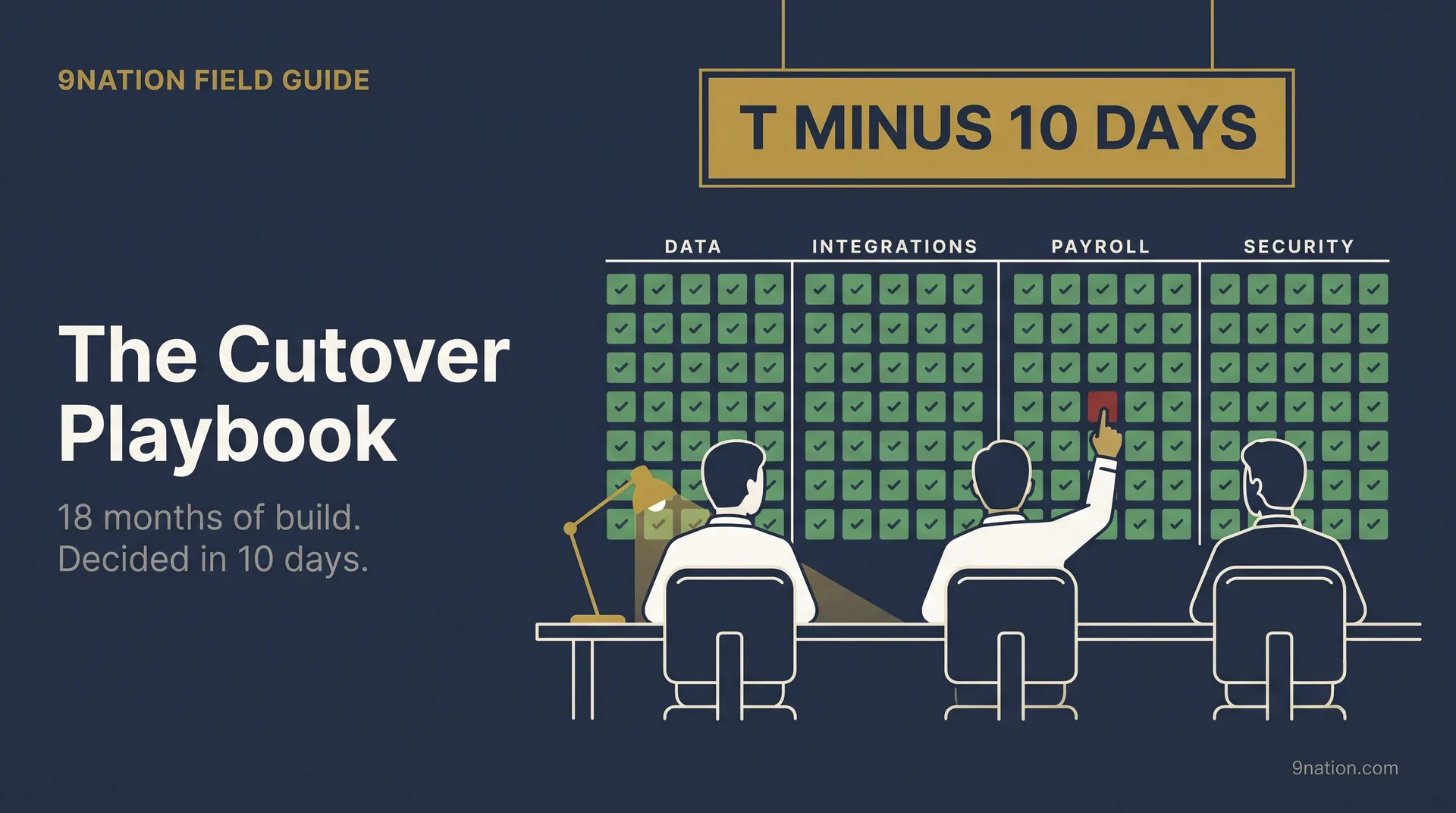
The plan on the morning of the go/no-go
Everything left of the red line has to be finished, signed off and backed by evidence before the meeting starts.
- Design freeze
- Gold build
- Gold validation
- Go/no-go
- Doors open
- First payroll
- First close
- Hypercare exit
-
1Run cutover as its own projectUnder way, design freeze to hypercare exit
-
2Gold tenant built and validatedDone, through gold validation
-
3Data conversion: mocks, then the final loadUnder way, mocks before gold build, final load on the weekend
-
4Legacy freeze, then catch-upUnder way, gold validation to doors open, catch-up after
-
5Two rehearsals at the real timesDone, both before the go/no-go
-
6Payroll parallel, the gate to goldDone, before gold build
-
7Readiness reviews and the go/no-goToday, ending at the go/no-go
-
8Deployment shape decidedDone, early
-
9Command center and the weekendNot started, go/no-go to first payroll
-
10Rollback window, then legacy read-onlyUnder way, open until doors open, legacy kept to the first close
-
11Hypercare through the first closeNot started, doors open to hypercare exit
Cutover is the stretch where a configured tenant, a pile of converted data and a nervous business have to become one working system on a single morning. A UK city council's Oracle go-live posted cash errors from day 1 and helped push the council toward effective bankruptcy. A US utility's SAP cutover turned a 4-day financial close into a 43-day one, with stabilization running near $30 million a month. A cosmetics maker went live at a plant and then sat on tens of millions in orders it couldn't ship. None of the three was a design failure. All three failed in the window.
$30Ma month, near enough, to stabilize it
The rest is tactical: tenant strategy, data loads, freeze mechanics, mock runs, payroll parallel, the go/no-go, the command center, the rollback call and hypercare. Each area comes with notes from real Workday and ERP go-lives, fully anonymized, plus the one move that matters most there. If you're the person running it, think of it as the checklist behind the checklist.
The one idea to hold onto
You can't out-build a bad cutover. 18 months of good work can die in a single weekend, and the design is almost never what killed it. Run the window as if it decides the program, because it does.
The one-page version is a companion poster: The Complete Workday Deployment Guide puts six environments, six test cycles and the cutover freeze on one page. Free, no form.
Three deep dives under this playbook
Each one takes a single part of the plan down to the level you actually work at.
- The cutover plan standardWhat a cutover task carries, how to write one, why dependencies replace dates, the decomposition rules and the baseline gate. For whoever was handed a plan and isn't sure it can be executed.
- Cutover ownership and the RACIGetting from "Owner: Client" to a named person with a phone. Separating the two sides, the rows that always get contested, and the three questions that settle a disputed row.
- The cutover forumHow every workstream gets into the plan: one teaching forum, a two-page homework pack, then focused per-track sessions. The agenda, the vocabulary and the tracks that resist.
1Run cutover as its own projectDesign freeze to hypercare exit
Cutover is a project inside the project
Teams underrun cutover because they picture it as flipping a switch. In practice it's a coordinated shutdown of the old world and stand-up of the new one: hundreds of tasks, dozens of owners, tight dependencies and a clock running the whole time. The programs that come through it clean run cutover as its own project, with one named owner. Run it by committee and nobody is there to make the 3 a.m. call.
Two documents do the work, and teams keep collapsing them into one. The freeze schedule is the timetable of what stops in the legacy systems and when. The cutover plan is the sequenced list of tasks to build, load and validate the new tenant so real users can log in. Keep them apart, and have the cutover manager reconcile the two every day.
The move
Name a dedicated cutover manager the day design freezes, with the authority to halt steps, invoke contingencies and call the go/no-go points. If cutover is a side duty for a build lead, it'll lose every scheduling fight to build.
2Gold tenant built and validatedDesign freeze to gold validation
Everything in cutover is timed off the gold tenant
In Workday you don't cut over into an empty system. Customers run a chain of tenants. Production is the live source of record. Next to it sit Sandbox, refreshed weekly as a copy of production, and Sandbox Preview, which gets feature updates ahead of production so you can test releases early. For a deployment you also buy implementation tenants, direct replicas used for configuration, quality assurance, user acceptance testing, integration testing and training. A common deployment runs 4 to 10 or more active implementation tenants at once.
The one that matters at cutover is the gold tenant: the pre-production build where final configuration and converted data get assembled, validated and frozen. When quality sign-off lands, that build is what moves into production. The formal gate is the move-to-production (MTP) authorization, and in Workday that's a signed form. Two milestones in the cutover plan anchor everything else: gold build complete and gold customer validation. Miss either date and everything downstream slips.
The move
Put "gold build complete" and "gold validation complete" on the plan as dated, owned milestones, and back-schedule the freeze and the load sequence from them. Those two dates are the spine of the whole cutover.
3Data conversion: mocks, then the final loadMocks before gold build, final load on the weekend
Data conversion is the number-one killer
More cutovers fail on data than on anything else, and it runs through nearly every public ERP disaster. A US utility's SAP failure came down to inaccurate data conversion and not enough capacity. 2 months in, its unpaid-supplier backlog topped 15,000 invoices. The discipline that prevents it is boring and repetitive. You run mock conversions in a loop: build the conversion, load it into a lower tenant, assess the results, refine the automated package, clean more data in the source system, and repeat until the load is clean enough for the final production conversion. Mock runs do double duty. They prove the data is right, and they time the load so your go-live window is measured instead of guessed.
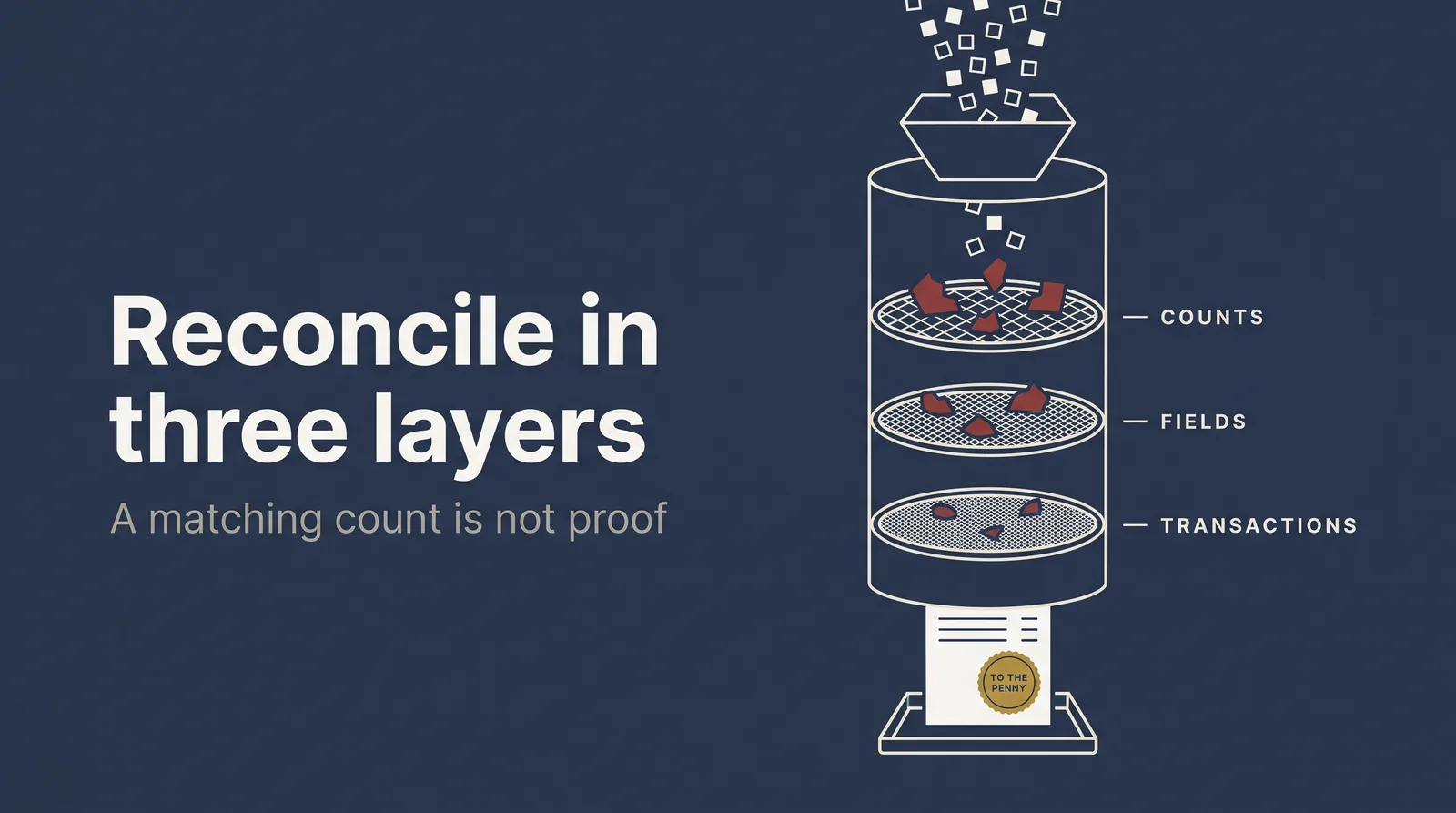
Reconcile in three stacked layers. Record counts and control totals come first, the fastest check for missing or extra rows. Field-level reconciliation comes next, with values checked against the transformation rules. Then business-process validation: run a real transaction end to end (requisition to payment, hire to paycheck) to prove the converted data and the configuration work together. For financials, tie the converted trial balance to the pre-cutover totals to the penny, and treat any control-total break as a hard stop. Load in dependency order: master data, then open transactions, then opening balances. Load out of order and you get orphaned records.
The move
Gate the gold build on clean dry runs. Require at least two full mock conversions that reconcile within an agreed tolerance, with data owners signing off per domain, before you build gold.
4Legacy freeze, then catch-upGold validation to doors open, catch-up after
Freeze by process, or operations will work around it
The freeze stops change in the legacy systems so the final data extract is clean and stable. Get the vocabulary exact so nobody has to guess. Every item gets one of three treatments, and each freeze item names what's frozen, who owns it, when the freeze starts, and in plain language what users can and can't do.
- Continue
- Keep entering in legacy to support the business.
- Soft freeze
- Also called minimize. Critical transactions only.
- Hard freeze
- Stop entry entirely. From here everything goes into the new system.
- Catch-up
- Freeze-window activity logged, then entered after go-live.
The design mistake is freezing by system. Make the blackout too long and operations rejects it, then breaks it anyway. Make it too short and you create conversion deltas that surface in the first close. Freeze by process instead: hard-freeze supplier creation and bank-detail changes early while invoice entry keeps running later, each with its own documented workaround. Whatever happens during the freeze gets logged and caught up after go-live. That catch-up is real work, so plan it: a delta conversion cycle to capture freeze-window activity, plus manual entry of the critical transactions that couldn't wait.
The move
Publish a freeze that lists every frozen item by process, with an owner, a start time and the approved workaround. If a user can't look up "what can I still do on Thursday," the freeze will leak.
5Two rehearsals at the real timesBoth finished before the go/no-go
The last rehearsal is your go-live recommendation
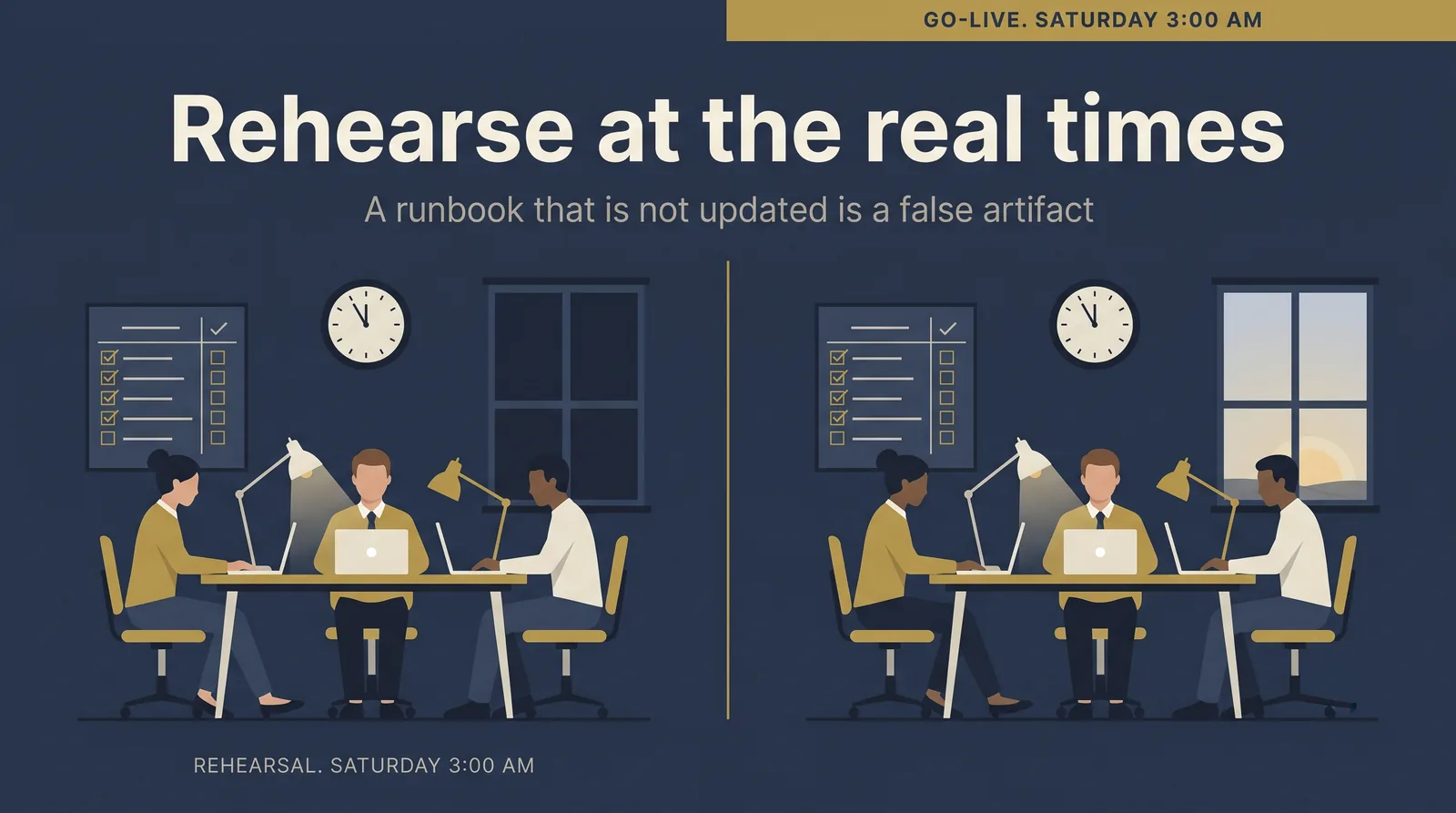
Give the final rehearsal as much attention as go-live itself. It's where you find out whether your setups, documentation, data dependencies and workflows line up. Every action that will happen at go-live gets replicated at the same hour with the same people. If a task is scheduled for 3 a.m. on a Saturday, the team runs it at 3 a.m. on rehearsal Saturday. Run at least 2. The earlier one proves sequencing and technical feasibility. The later one simulates real timing and staffing, including handoffs across time zones. Use both to capture true durations and flush out hidden dependencies, then update the runbook the same day. A runbook that doesn't get updated after a rehearsal is a false artifact.
The runbook is a step-by-step execution plan, written so a leader who didn't build the system can still run the event. Every step carries a verb-based name, a named owner and backup, prerequisites, a planned start, finish and duration, validation evidence, exception handling and a backout action. If a step depends on tribal knowledge ("she knows how to run that script"), it isn't ready. Build proof points into the runbook itself: small, fast pass-or-fail checks with evidence capture, like the trial balance tying out or a handful of day-one transactions clearing workflow approval. Then enforce the golden rule. If a task isn't in the plan, it doesn't happen.
The move
Treat the last rehearsal as the go-live recommendation. If the final mock cutover can't execute inside the window with the reconciliations and smoke tests passing, you aren't ready to name a go date.
6Payroll parallel, the gate to goldClean cycles before gold build
Payroll parallel and the tests that gate go-live
Run parallel payroll to confirm what you already believe is right. Nowhere does a conversion or configuration error surface faster than in pay, so if the first cycle turns up big problems, you started too early and you'll be running it again. Start with a mini-parallel, a small hand-picked subset of the workforce used as a proxy. A clean mini-parallel is your green light for full parallel. Review a full year of legacy payroll to catch the pay components that don't show up every month (seasonal staff, annual bonuses) and build scenarios for them, or you'll meet them in production instead of in a safe tenant.
Validate in layers and classify every discrepancy. Check totals, then employee, then element, which is where most errors hide. Sort each difference into must-match, allowed-with-explanation or unknown. Net pay by employee, tax withheld by jurisdiction, employer tax, deduction totals and total funding are must-match, and a mismatch with no root cause is a no-go. The bank file is a separate failure surface from the calculation, so test the transmission and the posting on their own.
The same rule holds beyond payroll. All in-scope testing (configuration, integration, end-to-end, payroll parallel, performance, regression) gets signed off before the go-live authorization, and no program goes live carrying an open critical defect, whatever the date says.
The move
Make clean payroll parallel the gate to the gold build. Lock configuration once the final parallel passes. Any emergency change after that needs documented approval and a re-validation.
7Readiness reviews and the go/no-goEnding at the go/no-go
Hard gates override the score
Go-live decisions fail when a date drives them instead of evidence. "We finished building" and "we're ready" are different claims, and only the second one keeps you out of trouble. Readiness means every domain independently confirmed, with proof behind it. Watch five domains.
- Technical
- Code freeze enforced, interfaces tested, no open critical or high defects.
- Process
- Integration and end-to-end testing passed.
- Data
- Dry runs reconcile within tolerance, owners signed off by domain.
- User
- User acceptance testing signed off in writing per business area, training done.
- Operations
- A runbook with owners and durations, monitoring configured, hypercare staffed, rollback documented and tested.
Every green rating needs evidence behind it. Every amber or red needs a mitigation plan with an owner and a date.
The go/no-go meeting carries more weight than any other meeting in the program, and it needs five things: the readiness scorecard rated by domain with supporting data, the open risk register, a defect summary by severity, the outstanding items with real dates, and an explicit recommendation of go, no-go or conditional-go with the conditions named. Score it, then let the hard gates override the score.
A program sitting at 92% green is still a no-go if it carries one unresolved critical defect, a data variance over tolerance, an unproven rollback or unstaffed hypercare. One deal-killer is an automatic no-go, whatever the average says.
The move
Pre-agree the mandatory no-go conditions before the meeting: any open critical defect, any financial control-total break, migration variance over the threshold, an unproven rollback or unstaffed hypercare. Written down in advance, they can't be argued away under date pressure in the room.
8Deployment shape decidedEarly, before the freeze is designed
The deployment shape decides the freeze and the rollback
The biggest shape decision is whether you cut everything over at once or in waves. It changes the freeze, the command center and the rollback plan, so decide it early and honestly. Big-bang concentrates risk into one window you can rehearse cold. Phased spreads the risk but multiplies the freezes, the catch-ups and the number of go-lives you have to run. Neither is safer in the abstract. The answer comes out of your entity count, your time zones and how immovable the deadline is.
| Aspect | Big-bangAll scope live in one window | Phased or waveSequenced go-lives |
|---|---|---|
| Window | One intense window, everything live at once | Sequenced by module, region or population |
| Reconciliation | One pass, but it all has to tie at once | Smaller, repeated per wave |
| Freeze | Shortest total freeze, highest single-day risk | Freeze and catch-up repeat each wave |
| Rollback | Cleaner to reason about, one point of no return | Complex, with some waves live while others wait |
| Best when | Tight integration, one entity, a hard date | Many entities, time zones, low risk appetite |
9Command center and the weekendGo/no-go to first payroll
The command center and the go-live weekend
The command center is the leadership team that controls execution through the window: real-time calls, escalations and status. It has standing seats with clear decision rights (cutover manager, data lead, integration lead, security lead, business-readiness lead), and its authority to halt steps and invoke contingencies is named up front. Staff it with rested decision-makers as well as doers, and keep approvers on hand for time-sensitive security and spend calls. Run communications on the clock, so leaders get an update at a fixed time even when nothing is happening.
The weekend itself is a sequence, usually a 24 to 72 hour window bridging into a Monday go-live.
- Freeze legacy to read-only
- Take final backups and extracts
- Run the final load in dependency order
- Reconcile and tie out
- Activate integrations and cut endpoints
- Run smoke tests
- Make the final go call and open access
Smoke tests are a scripted set of critical-path transactions run by real users in production against defined pass criteria: create and fulfill an order, receive a purchase, post a payment, run the key reports. After go-live, verify the first of everything: first invoice, first payment, first purchase order received, first payroll interface, first bank reconciliation. Each one is a checkpoint. Treat each interface as its own mini-cutover with a switch plan: stop the old feed, reconcile the final file, start the new feed, validate the first file with control totals.
The move
Give every issue an owner and a resolution deadline the moment it's logged. A blown deadline should trigger escalation automatically, before anyone spends another day watching the ticket.
10Rollback window, then legacy read-onlyOpen until doors open, legacy kept to the first close
Rollback only exists while legacy is still alive
You build the rollback plan hoping never to use it, and it's what lets everyone stay calm during the window. It has three parts. First, triggers defined in advance: opening balances that won't reconcile within tolerance, a critical integration down with no fix path inside the window, smoke tests failing on core flows. Second, a procedure. Legacy is still frozen and intact, so rollback means restoring write access, reversing external cutovers and communicating a new date. Third, a single named decision authority, usually the executive sponsor acting on the cutover manager's recommendation. With all three written down in advance, the 2 a.m. call is mechanical.
Two things keep this honest. Rollback is rarely a clean switch back to the old system. More often it means delaying go-live, extending dual-running, or running a controlled contingency process until you can re-attempt. And there's a real point of no return, which moves per stream: some streams keep the rollback option long after others have crossed into fix-forward only. A well-rehearsed cutover almost never rolls back. A rollback executed cleanly at hour 30 is a footnote, while a failed launch pushed through on hope costs you a quarter of firefighting. None of it is available unless legacy stays alive and untouched through the window, so it can't be decommissioned at cutover.
- BuildConfig formingRollback
- FreezeLegacy quietRollback
- LoadData inRollback
- Open accessDoors openNo return
- HypercareStabilizeFix-forward
The move
Set the point of no return as a dated line on the plan, per stream, and say out loud when each stream crosses from "can roll back" to "fix-forward only." Ambiguity here produces the worst outcome: a late call with both systems half-live.
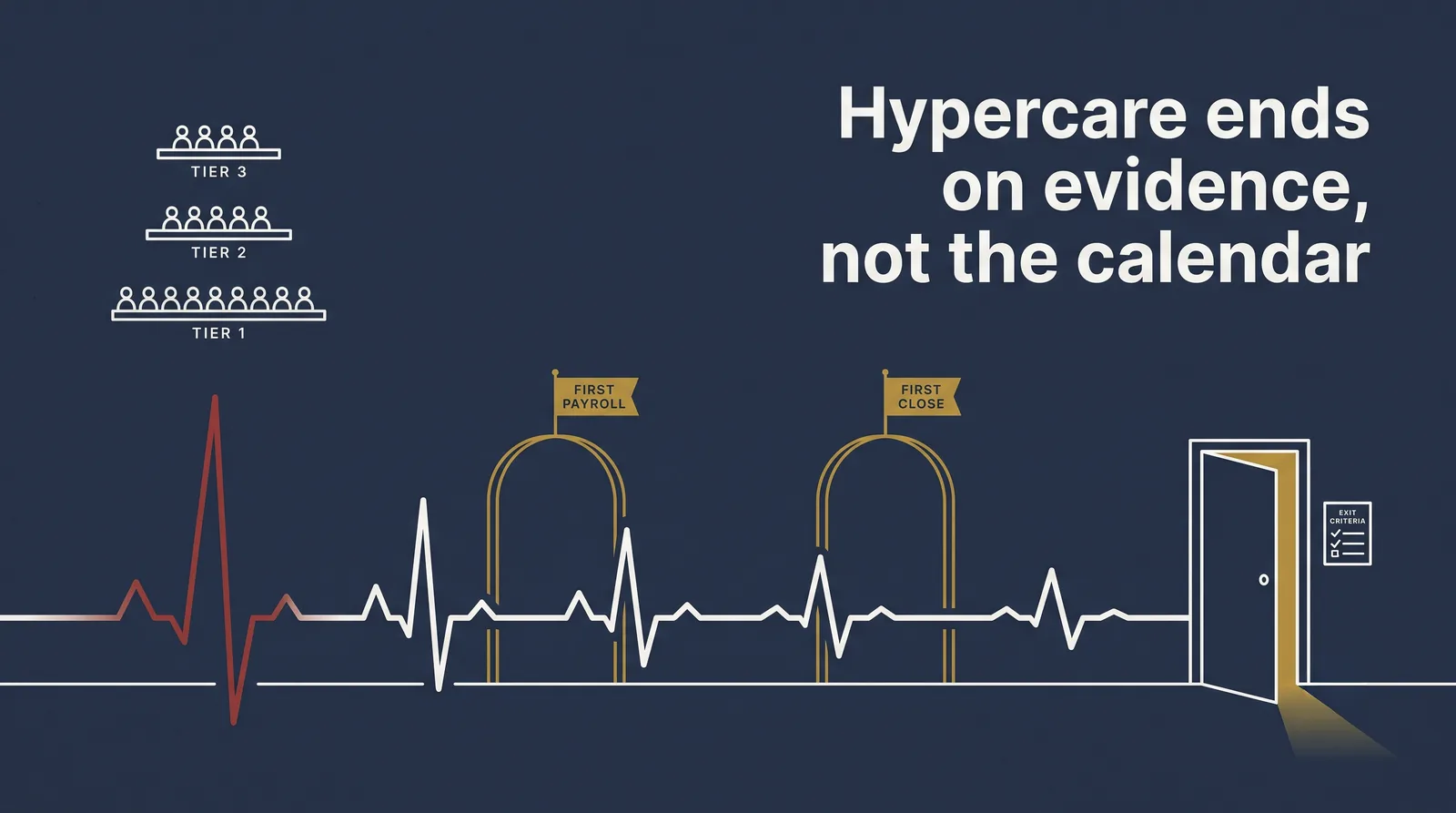
11Hypercare through the first close30 to 90 days from doors open
Hypercare ends when the exit criteria say so
Hypercare is a time-boxed incident-command period. It fails when it drifts into an open-ended help desk. Plan a 30 to 90 day window that carries the project team through at least one full close. Staff it in tiers: Tier 1 for end-user support, Tier 2 for functional administration, Tier 3 for technical and developer work, with escalation criteria and service levels for response and resolution. Run it on a single intake channel and one system of record, triage several times a day in the first week, and define severity in business terms (revenue risk, customer impact, close disruption) instead of by how loud the requester is.
Two events make people believe the system works, and both need protecting: the first payroll and the first close. For payroll, scope the first run to the smallest population that has to be right, clear that group first, and push the rest into a managed backlog. Put visible floor support and super users where the transaction volume is, because most early issues come down to user behavior and process. Leave hypercare on measurable exit criteria set before go-live: stable interfaces, severity-one volume down, a completed close, operational metrics in range. Keeping the extra support in place long after real stabilization only raises cost and blurs accountability.
The move
Give every workaround an owner and a retirement date. Workarounds without one turn into your new operating model.
Red flags to catch before the window
The same avoidable moves sink most go-lives. Each one maps back to a row of the plan.
| Row | Red flag | Fix |
|---|---|---|
| 1 | Cutover run as a side duty for a build lead | One cutover manager with authority to halt and escalate |
| 3 | A matching record count treated as proof the data is right | Reconcile in three layers and tie financials to the penny |
| 4 | A blackout defined by system, too long and ignored in practice | Freeze by process, with an owner and a workaround per item |
| 5 | The plan walked through once on a slide and never rehearsed | Rehearse the full weekend at real times and update the runbook |
| 7 | Going live on the date because the date was promised | Gate on clean dry runs and clean parallel, whatever the calendar says |
| 10 | "Rollback plan" means "we'll figure it out" at 2 a.m. | Pre-agree triggers and one named decision authority |
| 10 | The old system decommissioned on go-live day | Keep legacy read-only until after the first close |
| 11 | Hypercare drifting until the budget runs out | Exit on pre-agreed criteria: stable interfaces, close done |
The program is won or lost in the window
The wreckage is always the same short list: data that didn't reconcile, a freeze nobody respected, a go decision driven by a date, a rollback nobody had defined and a hypercare that became a help desk. All of it is avoidable, and every fix is available before the window opens. None of them takes heroics. Name the owner and keep the two documents honest. Rehearse at the real times, hold the hard gates, and keep legacy alive until the first close lands.
Go deeper on the mechanics: Building the cutover plan, Cutover ownership and the RACI and The cutover forum.
Related: The cutover command center, Hypercare and stabilization and Data conversion and reconciliation. See also Testing and IV&V and Quality & go-live assurance.
Sources. External guidance synthesizes public Workday, system-integrator, advisory and analyst material, including Workday tenant documentation, One Washington, the Umbrex Finance ERP Playbook, Axia, EPIQ, Panorama Consulting, Kainos, Definian and HRDecisionGuide, plus public post-mortems of enterprise ERP go-live failures. Field examples are drawn from real, fully anonymized Workday and ERP implementations. This article is general guidance, not legal or accounting advice.
The cutover readiness toolkit, ready for your next go-live.
A readiness and go/no-go checklist across all 10 cutover areas, plus a pitfall-by-area quick reference: the common trap, the better move and why it matters. Built to sit beside the cutover plan.
Put independent eyes on your cutover.
If you're weeks out from a Workday or ERP go-live, a candid readiness review before the window is the cheapest insurance you'll buy.