
Quality and go-live · Cutover planning
The cutover plan standard Building a plan that can actually be run
Most programs don't build a cutover plan. They inherit one, and it turns out to be a schedule with an owner column full of organization names. A plan you can run comes down to what each task carries, ownership that reaches a person, dependencies in place of dates, and a gate before you baseline.
Specimen A Two lines from a real cutover plan
As inherited
Rebuilt
C-140 FF Row count ties to source, signed by data owner Done
Support names a presence with no outcome. It can't be finished.
One action, one owner, one sitting.
An organization. Nobody to call at 02:00.
A named person.
Empty. Nobody covers when the owner sleeps.
Who answers when the owner is asleep.
Empty. A date change moves only this line.
Task IDs plus the dependency type.
Empty. Completion can't be proven.
How completion is proven, and by whom.
Row 214, as inheritedDrag or use the arrow keysRow C-142, rebuilt
The inherited plan usually arrives as a spreadsheet from the implementation partner around the start of test: a few hundred rows, dates in every cell, and it looks like a plan. Nine weeks later, at two in the morning, somebody reads row 214 aloud. It says "support conversion activities." The owner column says "Client."
That's a construction failure, and it happened months before the window opened.
The line-level test
If a task can't be handed to a named person who could start it without asking a question, it's a heading with a date attached.
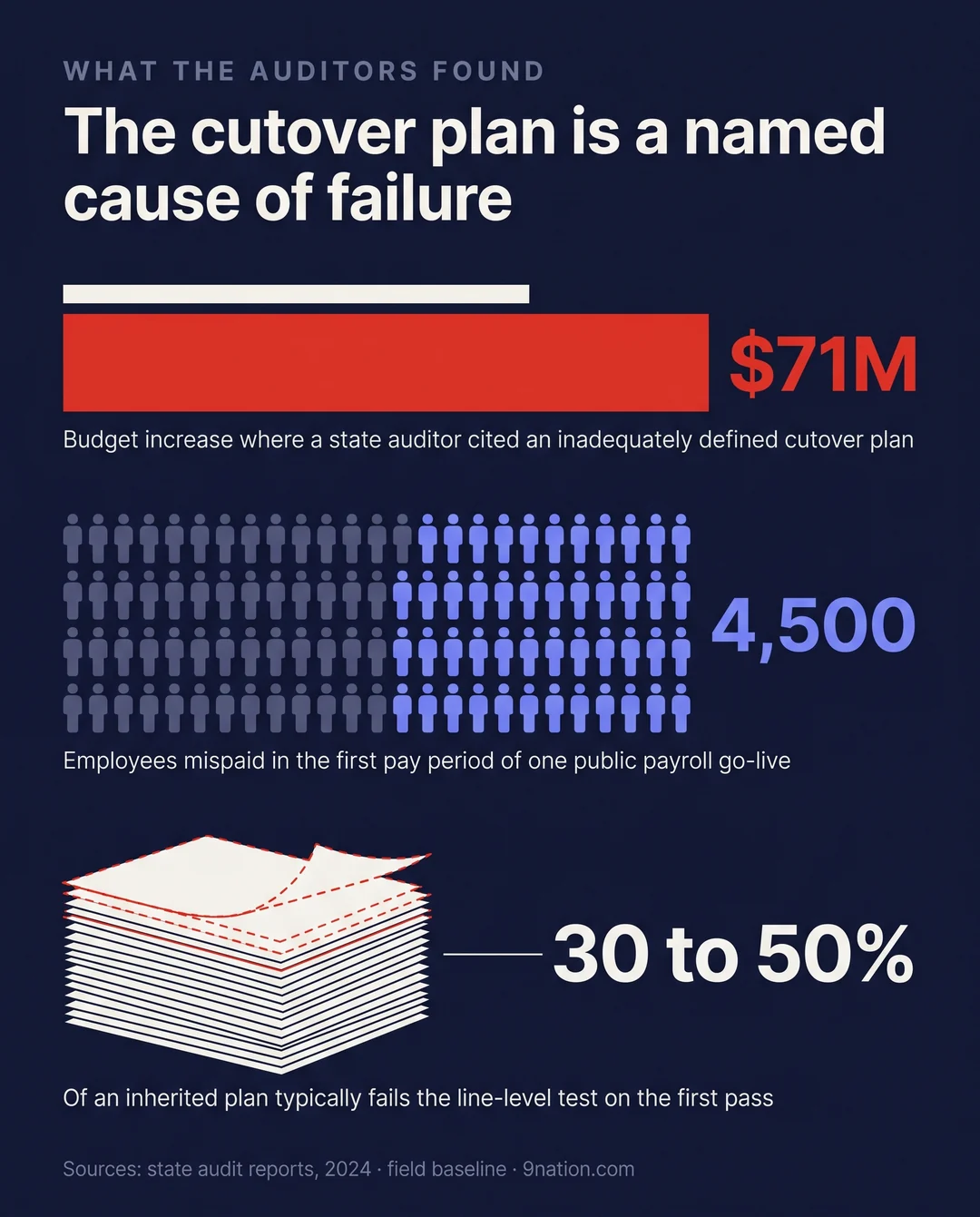
Apply the test to every line before you baseline. Expect 30 to 50% of an inherited plan to fail it on the first pass.
1 Three documents get called the cutover plan
They serve different readers and they fail in different ways. Collapse them into one and the program arrives at the window holding a calendar.
- 1.1 The cutover schedule
- Milestones, freeze dates, the weekend and the checkpoints. It answers when. Executives read this one, and it's usually the only one they see. You can't execute from it, because the work isn't in it.
- 1.2 The cutover plan
- Every activity between the last normal business day and the first supported day, each with an owner, a duration, a predecessor and a validation. It answers who does what, in what order. It's the artifact that gets executed, and the one that's usually missing.
- 1.3 The runbook
- The hour-by-hour execution view of the window, derived from the plan and frozen before the window opens. It answers what happens at 02:00. If someone wrote it from scratch, the plan was never real.
Published templates make the difference visible in their columns. A runbook carries planned start and end times and actual start and end times, which is what turns a plan into an execution record R3. Vendor methodology draws the same line. One guide separates a cutover strategy from a cutover plan and defines the plan as the detailed task list with an owner and a backup owner per task, verification and sign-off steps, and a rollback plan R1. Another runs from strategy to planning to the cutover project plan to the simulation, and describes the project plan as the mechanism used during the production cutover to signal when to start the next activity in sequence R10.
2 Diagnose the plan you were handed
Inherited plans fail in four recognizable ways. Where yours sits decides whether you edit it or rebuild it.
Public audits name the artifact itself as a cause. A state audit office performance audit of a statewide ERP program reported a $71 million budget increase and delayed vendor payments, and cited an inadequately defined cutover plan R5. A state single audit of a public payroll go-live found 4,500 employees mispaid in the first pay period and concluded that configuration testing was either not sufficiently scoped or not properly conducted R6. The same report notes that the issue list, with identification and resolution dates, wasn't available when auditors asked for it, which it called a lack of organization expected of a project of that size. Validation lines are the audit trail.
3 The anatomy of a cutover task
Every line carries twelve attributes. Set the schema before anyone writes the first task, because retrofitting it across two thousand lines is a project of its own.
- 1IDStable. Never reused, never renumbered when lines are inserted.
- 2Task nameVerb first, under twelve words, easy to read aloud at 03:00.
- 3Phase or waveAn attribute you can filter on. A section header can't be filtered.
- 4TrackConversion, integrations, security, business, communications.
- 5OwnerA named individual. A role or an organization doesn't count.
- 6BackupWho answers when the owner is asleep, which is certain.
- 7DurationElapsed time, confirmed by the owner. Effort hours don't belong here.
- 8PredecessorTask IDs plus the dependency type, spelled out.
- 9Start conditionWhat must be true beyond predecessors finishing.
- 10ValidationHow completion is proven, and by whom.
- 11RollbackWhat undoing this looks like, or explicitly none.
- 12StatusIncluding skipped, with a reason. Skipped is a real state.
Columns 6 and 10 are the two that make a plan executable and auditable.
4 Task names are the interface
Names get read under pressure, filtered, sorted and quoted in status reports. Write each one as an instruction somebody can carry out.
- Support conversion activitiesSupport names a presence with no outcome. It can't be finished.
- Load positionsWhich file, of how many, into which tenant?
- Reconcile and sign off balancesTwo tasks, two owners and two durations, hiding in one line.
- Data conversionA topic. Topics don't complete.
- Load position object into PROD from final extract, file 3 of 6One action, one owner, one sitting.
- Reconcile position counts to source extractValidation gets its own line, with a different owner.
- Approve reconciliation variance and authorize next loadThe decision is a task, with a date.
- Notify department heads that entry reopens 06:00 MondayCommunications belong in the plan.
Ban support, assist, manage and coordinate as the leading verb. If a name contains "and," it's probably two tasks.
Keep decisions as tasks too. Where the partner takes work to a point and the organization has to decide, that decision is a named line with an owner and a duration. It's the most common missing line type in a partner-authored plan, and it's exactly where a window stalls: in the twenty minutes spent waiting for somebody to say yes.
5 Ownership has to reach a named person
Converting organization-level ownership is the highest-value work in a rebuild, and the most tedious. Do it with the track lead in the room, line by line, across several sessions.
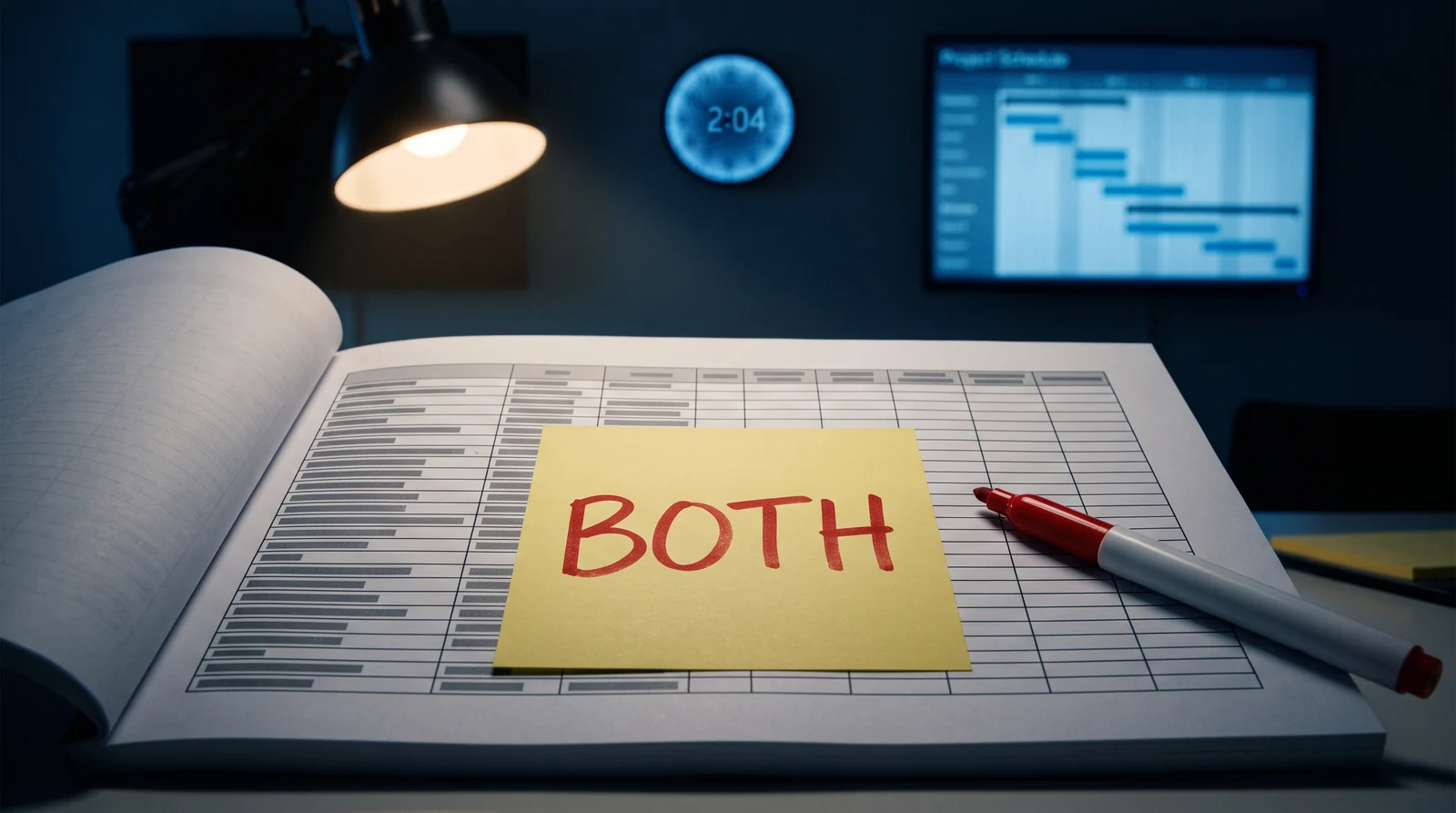
- Owner. Partner, Client, Both, a team name. Ownership recorded once at section level and inherited by every task beneath it.
- Backup. No backup named anywhere.
- Accepted by. Missing. Nothing separates who does the work from who accepts it.
- 5.1 A named individual on every line, with a named backup.
- 5.2 Partner-side and client-side owners in separate columns. They never share a cell.
- 5.3 The accepting party named separately where acceptance is a contractual event.
- 5.4 Availability captured against the name, including known absence during the window.
- 5.5 Every name confirmed by that person, never assigned on their behalf.
The last one is the one that gets skipped. A name somebody else wrote into the plan, on that person's behalf, is a proposal. It becomes ownership when you contact them and they say yes. That takes an afternoon, and it's the difference between a plan that holds and one that discovers three unstaffed lines during the rehearsal.
6 Build on dependencies and let the dates fall out
A plan built from dates gets rewritten every time one of them moves. That's how a plan gets rolled forward three times and stops being trusted. A plan built from dependencies recalculates.
-
Finish to start
The default, and most load sequencing. It's overused where a lag would be truthful and would recover hours.
-
Start to start, with lag
Validation running behind a long load while the load is still going. The owner has to justify the lag. Nobody gets to guess it.
-
Finish to finish
Reconciliation that can't close until every object has loaded. It often hides a missing task: the thing that actually closes it.
-
External constraint
Bank cutoffs, statutory dates, vendor hours. Neither task controls the timing, which makes this the dangerous class.
Record the type explicitly. A predecessor column holding only IDs forces every reader to assume finish to start, and that assumption is wrong often enough to cost a window. For external constraints, confirm in writing with the third party and record the date you confirmed it.
There's a hard, auditable test for this in federal audit methodology. Every activity should have at least one predecessor and at least one successor. The only exceptions are the start and finish milestones, and any activity missing that logic has to be justified in the schedule documentation R4. The same guidance flags dangling logic, where a start-to-start or finish-to-finish link leaves a date undriven, so an activity can run indefinitely without visibly affecting anything downstream. It also requires constraints and lags to be minimized and justified R4.
Run that test across your plan. The count of failing lines is your rebuild estimate.
7 Anchors, float and the delta view
- Day -30
- Day -14Period close
- Day -2Gold validated
- Go-liveAccess opens
- Pay dateImmovable
An anchor is a date the organization doesn't control or won't move: a pay date, a period close, a statutory filing, a vendor support window. Name them, keep the list short, record a reason next to each, and express everything else relatively: Day minus 14, window open plus four hours, first business day after freeze exit. When an anchor moves, the plan recalculates and nobody retypes it.
Measure float, then defend it. If float can't be stated as a number, the plan can't answer the only question executives ask. Report it weekly and treat consumption as a risk event instead of normal variance.
Build the delta view before you baseline, too. It's the filtered view that answers "what happens if go-live moves two weeks." Programs get asked that under pressure and answer it with a two-week analysis. With the view ready, it's a one-hour conversation.
8 Decomposition, and the growth nobody plans for
Six hundred lines and two thousand can both be correct. What matters is that the rule is written on the plan and applied the same way everywhere, because you can't report on a plan that's decomposed inconsistently.
- Draft: technical tasks
- Integrations, per interface
- Business and department tasks
- Validation and gates
- Rollback and contingency, found last
Plans grow because the first draft was missing whole categories, and the order of discovery is consistent: integrations first, business tasks second, validation third, contingency last. Put that growth in the calendar so it doesn't arrive as a surprise.
The business-task category is worth naming out loud, because partners don't write it. One published guide lists the work types a cutover plan must cover and includes business tasks such as reconciliation, posting and opening of periods alongside the technical work R2. One university split its whole cutover into two categories: system cutovers, meaning turning one system off to turn another on, and process changes, meaning the interim procedures and catch-up tracking that let the business keep running R9. Most technical plans leave that second category out entirely.
Published freeze calendars show what those lines look like once they're dated and owned. One runs from two months before go-live to three months after. It carries entries like purchasing cards switched off for five days, with a warning to renegotiate recurring vendor charges, and no new hire start dates allowed inside a two-week window R7. Another is laid out system by system across sixteen legacy systems, with the conversion snapshot taken twelve days before go-live, one system read-only for a full two weeks, and a documented manual approval route through an expense system blackout R8.
None of that is technical work. All of it belongs in the plan with a name against it, which is why one large public program scores go-live readiness across six named dimensions, with change, operations and business sitting alongside technical and data R11.
9 Where the plan lives
Decide before the plan passes a few hundred lines. Migrating mid-build costs two weeks and loses history. The deciding question is who has to update a line at three in the morning, and on what device.
Whichever you choose, prove it in a rehearsal, with the actual people updating actual lines on their actual devices. A tool that works in a demo and fails on a phone in a parking lot hasn't been tested.
Write down maintenance ownership separately from task ownership. The cutover lead owns the schema and the cross-track dependencies. Track leads own their own lines and durations. The sponsor owns the anchors and the baseline, and the PMO owns version control.
10 The baseline gate
A baseline is a commitment, and every re-baseline costs credibility. Don't baseline until every box on the gate is ticked. If the plan isn't there yet, say so publicly instead of baselining a plan you already know is incomplete.
Baseline gate
Every box ticked before the plan is baselined
Completeness
- Every track has been through a working session and a join session
- Business and department tasks are present, as well as technical ones
- Cross-organization decision points are named tasks
- Validation tasks exist for every load and configuration change
- Communications tasks exist for every audience
- A rollback position is stated for every section
Integrity
- Every line passes the line-level test
- No owner cell reads as an organization, a team, or "both"
- Every duration is confirmed by the person who owns it
- The plan calculates its own end date from anchors and predecessors
- Float is a number someone can say out loud
- The delta view for a schedule shift is built and tested
Operability
- Real owners have used the tool on real devices in a rehearsal
- Status rolls up by track, wave and owner without manual work
- The runbook view is derived from the plan, never written separately
- Gates appear as hard stops with named decision makers
- Access is proven for everyone who must update a line
- Version control and the change process are agreed and written down
After baseline, adding or removing a task takes a proposal from the track lead and acceptance from the cutover lead, with a one-line reason recorded. That record is how you tell a plan being improved from a plan being quietly re-scoped.
Re-baseline only when an anchor moves. Tasks moving inside existing float is normal. Programs that re-baseline for ordinary variance lose the ability to signal that something serious happened. Freeze the runbook several days before the window, too. Late changes to an execution document are how the wrong version gets printed and carried into the command center.
By the time the window opens, the quality of the artifact you're executing from has largely decided the outcome. A plan with named owners, real dependencies, stated validations and a tested tool runs itself under pressure. A plan with organization-level owners and a column of dates needs a hero, and a hero isn't a control.
Referenced documents
- R1 Microsoft, "Transition to new solutions successfully with the cutover process," Dynamics 365 Implementation Guide, 2024. learn.microsoft.com
- R2 Oracle, "What is a cutover plan?" Oracle ERP-ACE, October 2023. blogs.oracle.com
- R3 Amazon Web Services, "Cutover runbook template," AWS Prescriptive Guidance. docs.aws.amazon.com
- R4 US Government Accountability Office, "Schedule Assessment Guide: Best Practices for Project Schedules," GAO-16-89G. gao.gov
- R5 State audit office performance audit of a statewide ERP program and an associated university implementation, August 2024. sao.wa.gov
- R6 State single audit report on a public-sector payroll and time tracking go-live, April 2024. sos.oregon.gov
- R7 Clemson University, "Workday Cutover," published freeze calendar. clemson.edu
- R8 University of Maryland, "Last Day Activities," Elevate program. elevate.umd.edu
- R9 University of Richmond, "Cutover," Workday program. workday.richmond.edu
- R10 SAP, "SAP Project Manager's Guide to SAP Project Cutover," SAP Community, October 2021. community.sap.com
- R11 One Washington, "Project Resources," six dimensions of go-live readiness. one.wa.gov
Public cautionary cases are cited by source and left unnamed in the body to keep the guidance vendor and organization neutral. Field examples come from real Workday and ERP implementations, fully anonymized. General guidance, not legal or accounting advice.
Companion document
The cutover plan construction standard, on two pages.
The twelve-attribute task schema, the line-level quality bar, the decomposition rules, the four dependency types and the baseline gate checklist. It's built to sit beside the plan while you rebuild it.
Put independent eyes on your cutover plan.
If you were handed a cutover plan and you aren't sure it can be executed, a line-level review before the freeze is the cheapest hour you'll spend.